CapaKit
Public Alpha · macOS · Bun workloads · Free to use

Sandboxed from build to run.

CapaKit is a free runtime and CLI toolkit for building
AI app Kits.

When your agent builds, tests, or runs a Kit,
it happens in isolation, not on your host.

Interactive terminal demonstrating CapaKit installation and running
# Install CapaKit:
$curl -fsSL https://capakit.com/install.sh | sh
[✓] macOS releases are signed and notarized; shell installer verifies the CapaKit signature.
# Run a Kit straight from GitHub:
$capakit run https://github.com/capakit/hello-world-demo-kit
[✓]App [hello-world] is running
[i]runtime: [ephemeral seatbelt sandboxes on macOS]
[i]host network endpoints:
protocol=[mcp] endpoint=[/mcp] url=http://127.0.0.1:50958/mcp
press Ctrl-C to stop

When you tell an agent
what to build, you inherit how it built it.

AI apps quietly become your responsibility. Most tooling only sandboxes the runtime, completely ignoring the risky, messy parts before it.

Diagram illustrating that the build phase is exposed to the host machine, risking secrets and files, while only the run phase is isolated.
The Problem

Most tools only sandbox the running code.

  • Leaked Secrets Baked directly into code and configuration files.
  • Broad Permissions Agents operate with full access to your host machine.
  • Unsandboxed Builds Arbitrary scripts executing during npm install or builds.
Diagram illustrating the CapaKit sandbox encompassing both the Build Phase and the Run phase securely.
The Solution

Sandbox the entire app lifecycle.

  • No inherited environment or broad filesystem access.
  • No network by default. Traffic must be explicitly allowed.
  • Ephemeral, single-use sandboxes for every build and run.
  • Secrets resolved on-demand, never hardcoded.
Prompt Kit

Describe an AI app.
Get a Kit.

A Kit is plain source code plus a manifest. It speaks MCP, A2A, and OpenAI-compatible protocols, and anyone can run it with one command, fully sandboxed.

You tell your coding agent

Use capakit to create a Kit called invoice-helper.

I want a web UI where I pick an invoice from my invoices folder and see extracted fields.

First ask me to confirm the details are correct, then use the HubSpot API client to enter them.

Let my agents call the same workflow over MCP , and expose it as a Codex skill I can install.

Add tests and clear run instructions.

invoice-helper Generated Kit
Web UI pick & review invoices from a folder
MCP endpoint the same workflow, callable by your agents
Codex skill installed with a single flag
Sandboxed
Secrets Files Network
See Under The Hood

Under the Hood

A Kit is the standardized unit for AI apps. Here's exactly what's inside.

Structure
hello-world-demo-kit/
Agent guidance
Capability manifest
Capability checks
Workloads
workloads/
hello workload source
Project summary
Code viewer showing the contents of the currently selected file from the Kit structure
capability.yml
version: '1'
name: hello-world

workloads:
  hello:
    endpoints:
      - mcp
    runtime:
      source:
        toolchain: bun
        prepare:
          command: bun install
          network: full
        start:
          command: bun run src/index.ts

Why CapaKit?

  • Security

    Managing secrets, permissions, and blocking unwanted network access.

    Handled by default and tailored to each app's minimal needs.
  • Testing

    Making sure code, logic, and agent flows work reliably end-to-end.

    Structured testing, from single-workload checks to full integration tests, all run in isolation.
  • Sharing

    Wiring up network endpoints, resolving dependencies, and manual installs.

    Point CapaKit to a GitHub source, .capakit archive, or unpacked Kit folder.

Sandboxing the entire app lifecycle is what makes sharing possible. You can run a stranger's Kit from GitHub with one command, without trusting them, their dependencies, or their install scripts

How It Works

One command flow. Sandboxed from build to run. No setup ceremony.

How It Works
# Run a Kit straight from GitHub:
$ capakit run https://github.com/capakit/hello-world-demo-kit
[✓] App [hello-world] is running
[i] runtime: [ephemeral seatbelt sandboxes on macOS]
[i] Kit origin: https://github.com/capakit/hello-world-demo-kit
[i] host network endpoints:
protocol=[mcp] endpoint=[/mcp] url=http://127.0.0.1:55020/mcp
press Ctrl-C to stop
# Run it and install it locally as a Codex skill:
$ capakit run https://github.com/capakit/hello-world-demo-kit --global-skill codex
[✓] App [hello-world] is running
[i] runtime: [ephemeral seatbelt sandboxes on macOS]
[i] Kit origin: https://github.com/capakit/hello-world-demo-kit
[i] skill provider: [codex] root=/Users/user/.codex/skills
[i] Kit endpoint [/mcp] is installed as a local skill
[i] skill commands:
[hello-world]
[i] host skill files:
/Users/user/.codex/skills/hello-world/SKILL.md
/Users/user/.codex/skills/hello-world/hello-world
/Users/user/.codex/skills/hello-world/.hello-world.conf
installed skill files are temporary and will be deleted when this command exits
press Ctrl-C to stop
# Clone and make it your own:
$ git clone https://github.com/capakit/hello-world-demo-kit
$ cd hello-world-demo-kit
# Run tests in isolation:
$ capakit test
[i] test: loaded manifest file=[capability-test.yml] cases=[2]
[i] preparing workload command=[bun install]
[i] test: invoking exec preflight=[hello workload typechecks] command=[bun x tsc --noEmit]
[✓] test passed: hello workload typechecks
[i] test: Kit ready mode=[managed]
[i] mcp access method=[tools/call] path=[/mcp] tool=[hello-world] status=[200] outcome=[ok]
[✓] test passed: hello world tool returns structured text
[i] test: Kit stopped
# Share it as a single file:
$ capakit kit package --out hello-world-demo-kit.capakit
[✓] created package at hello-world-demo-kit.capakit
$ capakit run hello-world-demo-kit.capakit
[✓] App [hello-world] is running
[i] runtime: [ephemeral seatbelt sandboxes on macOS]
[i] Kit origin: hello-world-demo-kit.capakit
[i] host network endpoints:
protocol=[mcp] endpoint=[/mcp] url=http://127.0.0.1:55569/mcp
press Ctrl-C to stop

Explore Demo Kits

Built with CapaKit. Runnable with a single command straight from GitHub.

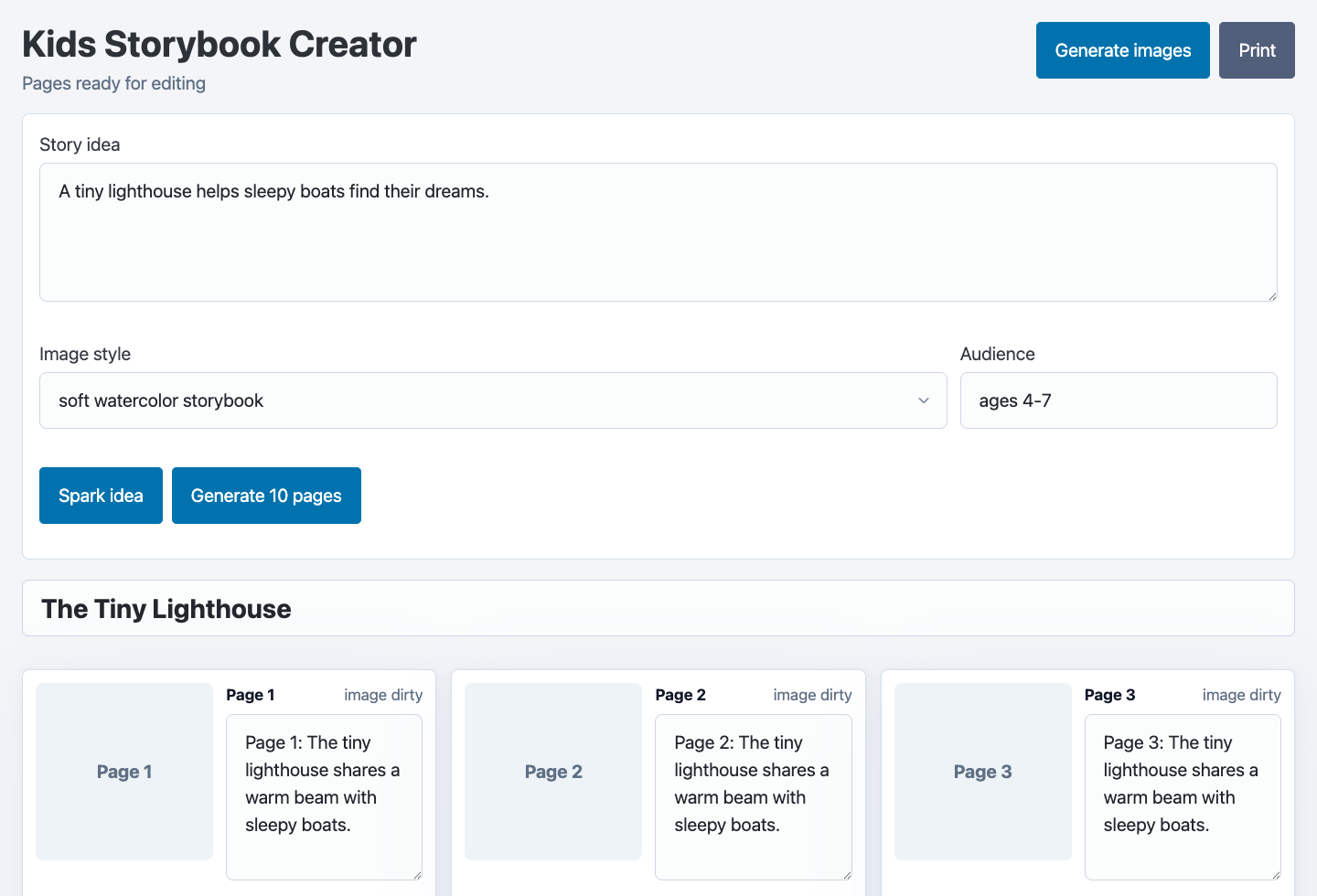
Kids Storybook Creator

Source ↗
  • stable-diffusion
  • llama-cpp
  • web UI
  • MCP
Kids Storybook Creator app screenshot
$ capakit run \
https://github.com/capakit/kids-storybook-creator-demo-kit \
--mount models=~/.capakit/models # cache dir

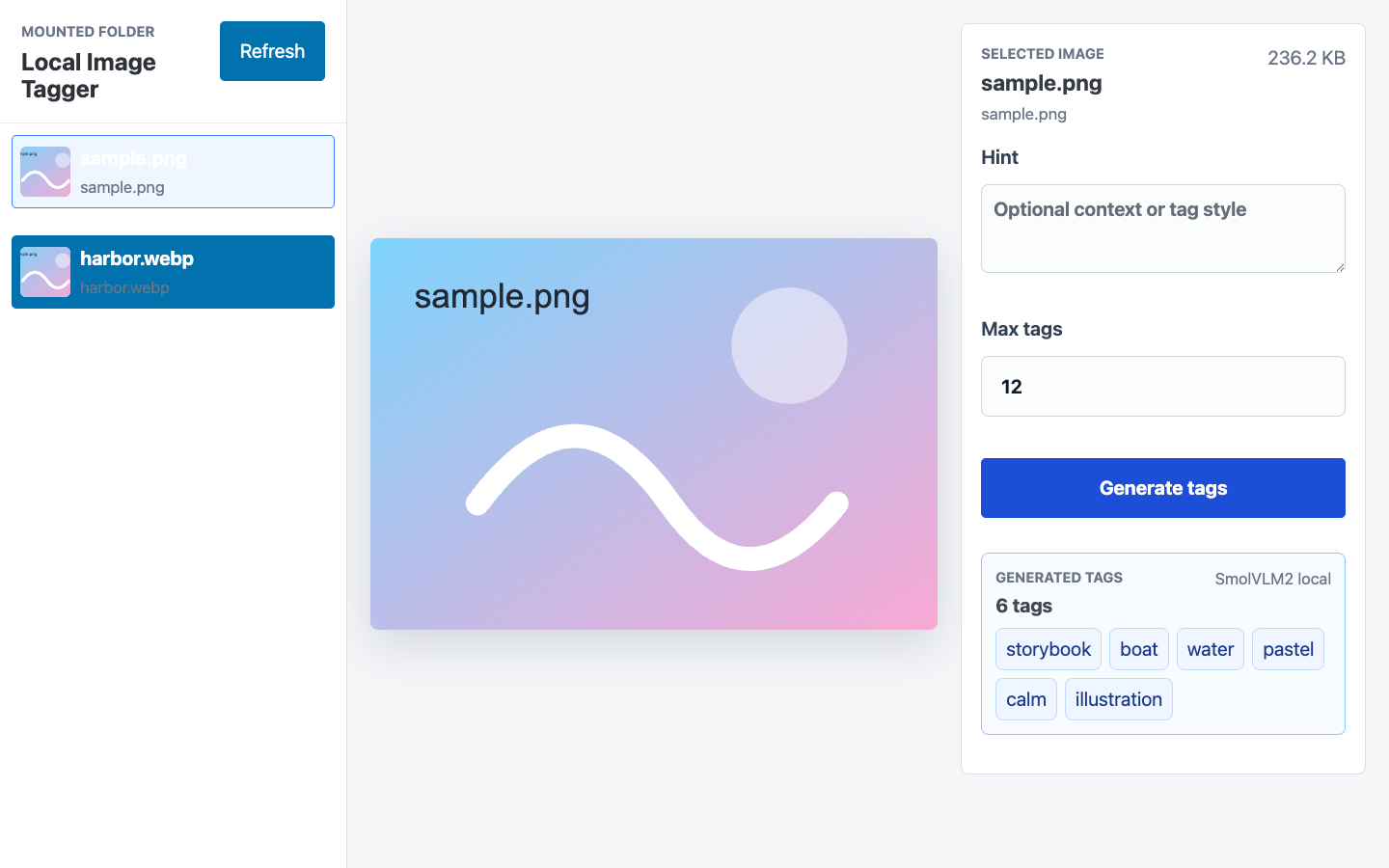
Local Image Tagger

Source ↗
vision llama-cpp web UI MCP
Local Image Tagger app screenshot
$ capakit run \
https://github.com/capakit/local-image-tagger-demo-kit \
--mount images=/path/to/images \
--mount models=~/.capakit/models

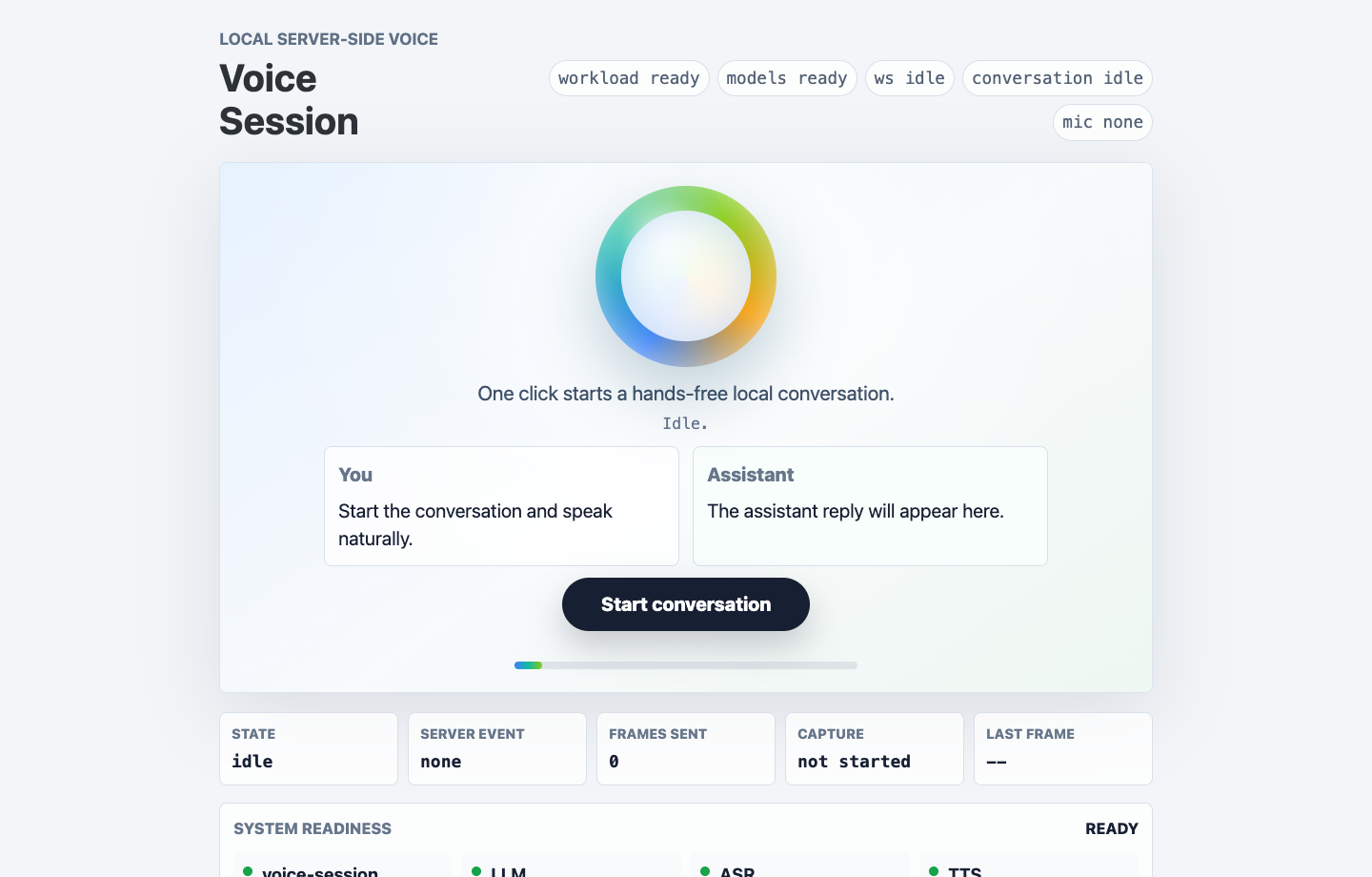
Real Time Voice Chat

Source ↗
voice llama-cpp web UI
Realtime Voice app screenshot
$ capakit run \
https://github.com/capakit/realtime-voice-demo-kit \
--mount models=~/.capakit/models

Created a useful Kit?

Submit a PR to feature your Kit in the official Registry and share it with the community.

View Kit Registry ↗

Who Is CapaKit For?

  • Developers & teams Who want one standard way to build, test, and run Kits.
  • Builders Spinning up quick POCs with local/remote models, web UIs, MCP, A2A, or skills.
  • Security-conscious engineers Who don't want to run unknown or third-party code unsandboxed on their machine.

CapaKit Philosophy

  • Local-first You build it, you own it. You can run it anywhere any time, even offline.
  • Agent-native Designed from the ground up to be driven, used, and understood by coding agents.
  • Isolation by default Isolation is treated as a first-class concern, not an afterthought.

FAQ

How is this different from Docker?
CapaKit starts and runs workload commands inside native macOS Seatbelt sandboxes generated per command. A Kit is also more like Docker-Compose as in it orchestrates multiple services and chooses what to expose to the host. Kits can import other Kits allowing you to reuse higher level components and build complex apps. It also natively speaks MCP, A2A, skills, and OpenAI-compatible APIs, which containers don't.
Does CapaKit sandbox my coding agent?
CapaKit takes into account the full app lifecycle: dependency installs, builds, tests, and runs. Your agent edits source on the host as usual, but it never needs to run installs or app code with host access, it knows how to use CapaKit to perform that same action inside a sandbox.
What exactly is isolated?
Each workload runs (when in "managed mode") as a single-use sandboxed process: no inherited host environment, filesystem access limited to its workload root and declared mounts, no IP networking on start by default, and workload-to-workload traffic limited to manifest-declared connections over mTLS. Secrets are resolved on demand via RPC, never injected into the workload's environment or source. More details here
What's the alpha scope?
macOS only, Bun workloads only, and some workloads (e.g. Chromium-based) don't run under the current sandbox yet.
Is it free? What's the business model?
The CapaKit runtime and CLI toolkit is free to use. We're building add-on products for teams that need to collaborate on Kits safely.
Is CapaKit open source?
The runtime and CLI are not open source today. We know trust has to be earned, so we sign and notarize binaries, document the Seatbelt policy, and allow auditing via `CAPAKIT_DEBUG_SEATBELT_POLICY=1`. See our [Security](./security.html) page for details.
What about Linux/Windows?
By starting with a smaller support surface we plan to add features incrementally while also keeping an eye on security and usability.
Can my agent just bypass CapaKit?
Yes, CapaKit instructs agents to use its sandboxed facilities but ultimately agents have their own sandboxing/approval mechanics.

Run your first Kit in 30 seconds

Free to use. Signed and notarized. No daemon, no Docker.

Read the Quick Start →

CapaKit build protection